non-Korean Environment (NTLEAS Error)
Locale fix guide for Alicia Online
Some players may encounter this issue while installing, reinstalling, or randomly one day when trying to play Alicia Online. Two common cases:
- During installation, Windows can display “Trying to launch the game in non-Korean environment.” Installing AppLocale does not always fix it.
- Out of nowhere the “NTLEAS” error appears when starting the game even if everything worked before.
Wikilicia is here to help you out, hopefully this process fixes your issue.
Set Windows system locale to Korean
-
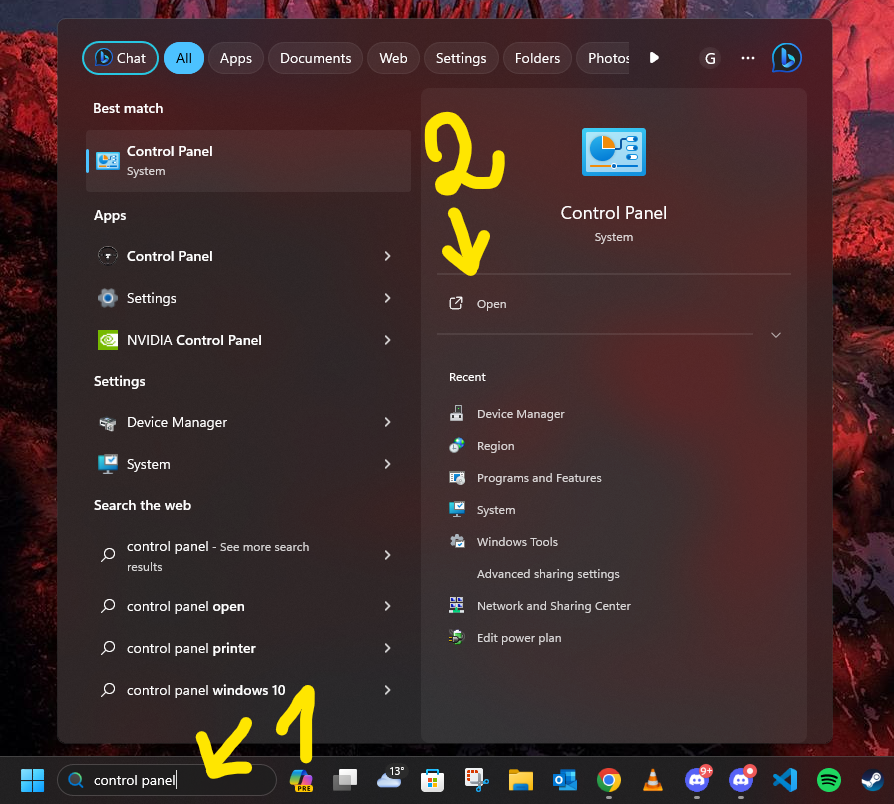
Search the Windows taskbar for “Control Panel” and open it.
-
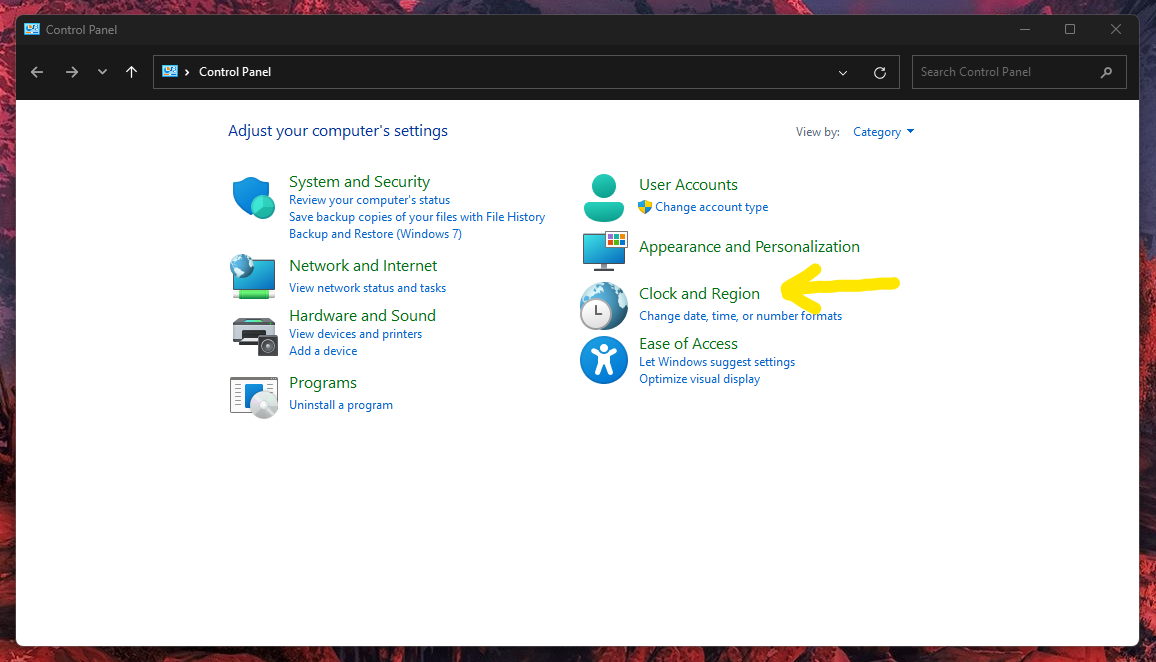
Select Clock and Region in Control Panel. If yours looks different, change “View by” to Category.
-
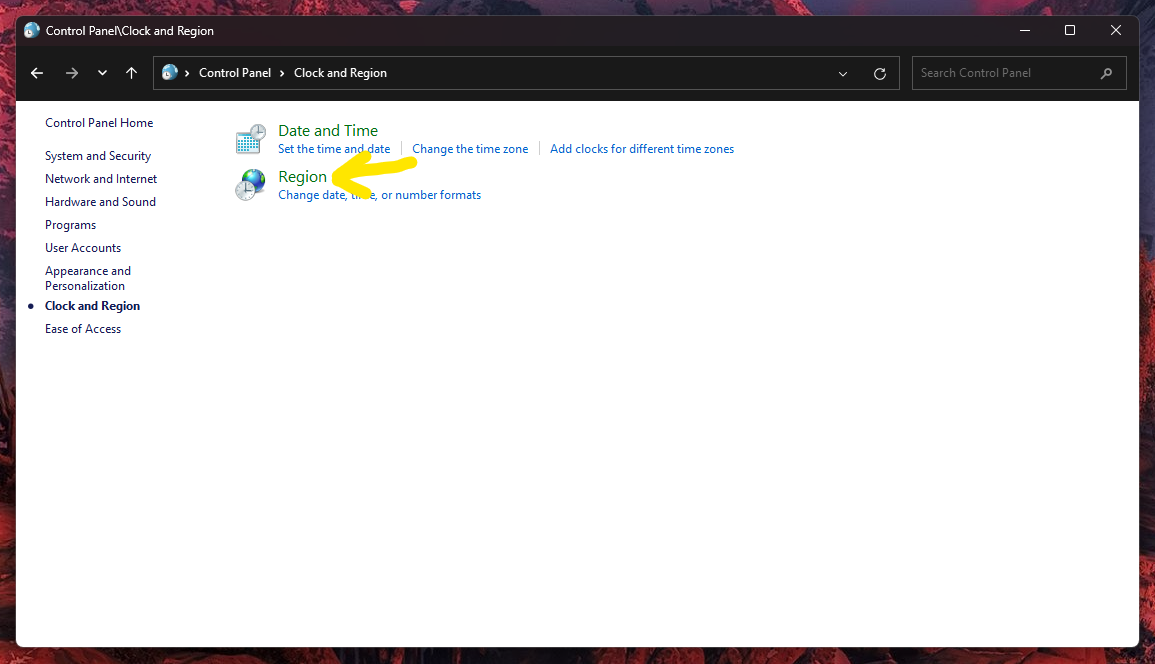
Select Region within Clock and Region.
-
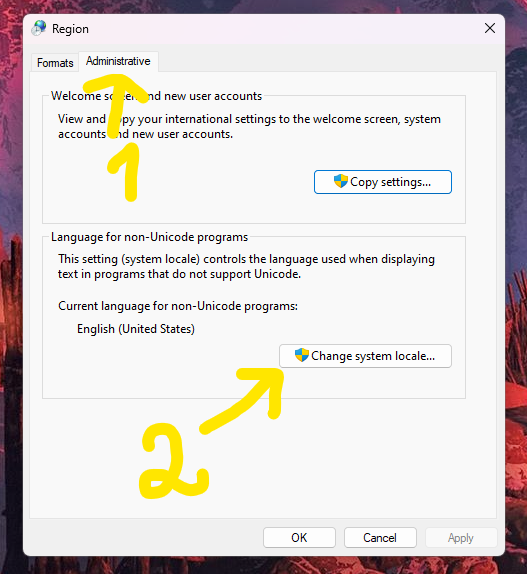
Go to the Administrative tab (arrow 1) and then click Change system locale... (arrow 2).
-
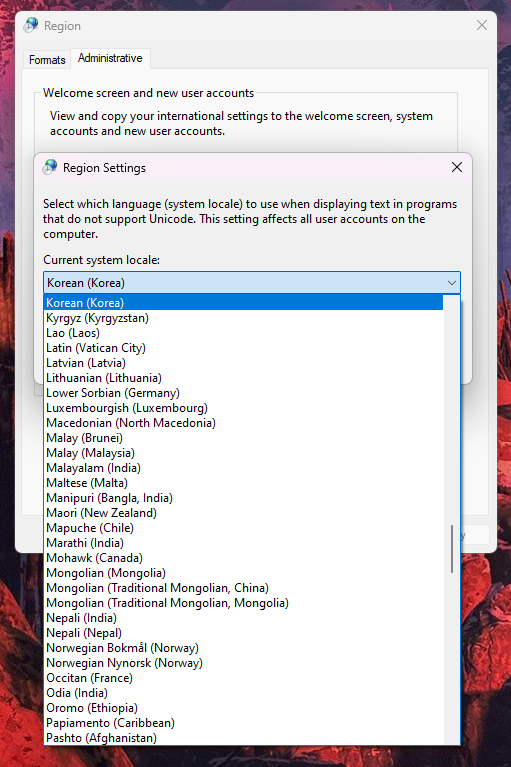
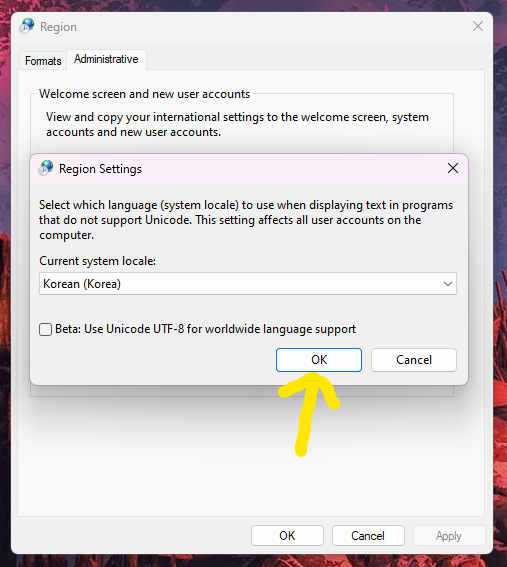
In Region Settings, open the dropdown under Current system locale and choose Korean (Korea). Press OK, then Apply. Restart your system to apply the change. This does not change your Windows display language.